 I’ve been playing a lot with ArgoCD recently and decided it was time to migrate as much of my platform to being managed using GitOps as possible. Whilst it’s taken some time to get to grips with, it has enabled me to ensure all my code is committed to the relevant repositories. However, it has forced me to consider what would happen in an “extinction-level” event in the environment.
Whilst my Production Kubernetes clusters run on VMware VKS clusters, Dev runs on the somewhat legacy (at the time of writing) Tanzu Kubernetes Grid. Whilst it gives me much of the functionality of VKS, there are subtle differences.
One of these is how CA certs are imported and trusted. It is quite a complicated process, so much so that I couldn’t get it to work. Therefore the containerd nodes and the Kapp controller wouldn’t trust my internal Harbor instance, and in turn wouldn’t pull down my VMware Cloud Director image and deploy it. This forced me to look elsewhere to host my images for Dev as a short-term solution, but also got me thinking… what would happen if you lost your Harbor instance?
Enter Replication
Each of my containerized workloads are protected by Kasten. In the event I lost Harbor, Kasten would primarily be used to restore it. If I happened to lose the cluster, then the DR portion of Kasten would then need to be invoked.
However, I do like the idea of my Harbor projects being protected elsewhere – so I decided to replicate them out to Docker Hub. In the short-term, my Dev instance will pull them from there.
Create a Personal Access Token in Docker Hub and record the details:

Don’t worry, this is just an example token
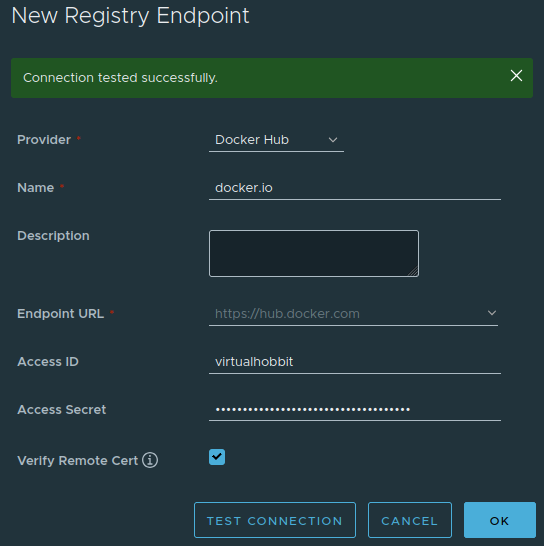
In Harbor, create a new Registry Endpoint under Administration / Registries. Select Docker Hub, give it a name, enter your access ID and supply the Personal Access Token you created in the previous step:
Under Administration / Replications, click New Replication Rule. Give it a name, and select your project. You can filter based on tags, however I have used “*” so all my builds are replicated.

Select the Docker Hub registry from the dropdown and then enter your account username as the namespace.
You can then decide how you’d like the replication to be triggered. Any are fine, but I see little value in triggering it until something has changed, so I have gone with Event Based. Click Save when done.
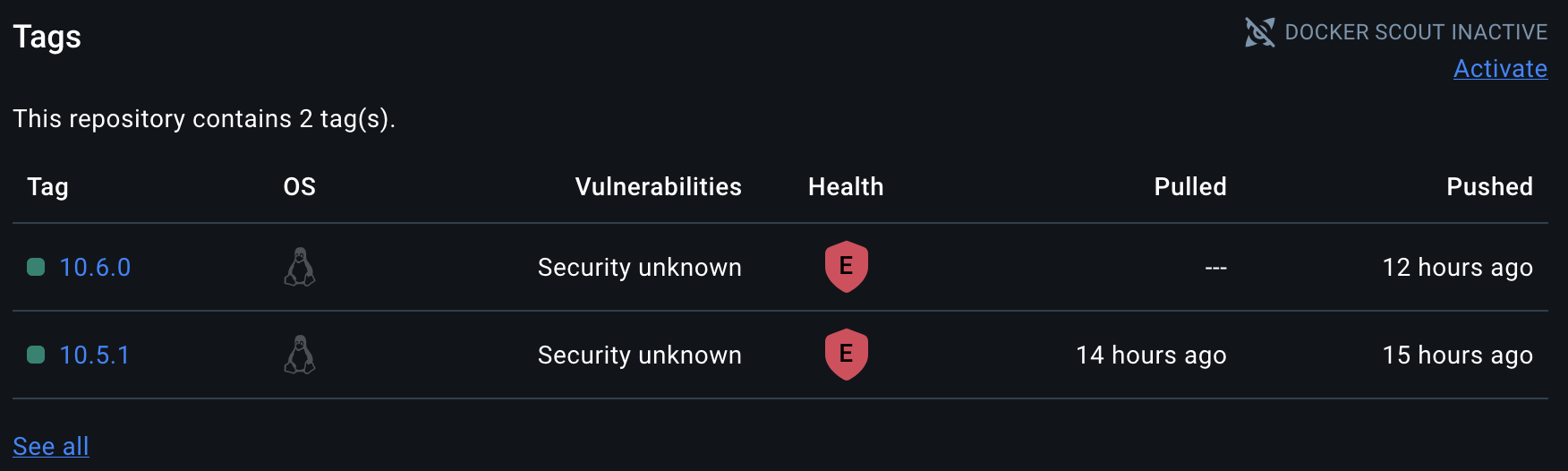
All done. A short time later your builds will begin replicating to Docker Hub:
 virtualhobbit